660 views
in Embedded Wizard Studio by

Hello team,

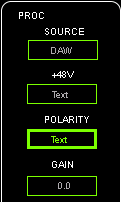
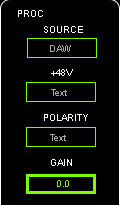
         In the embedded wizard,i can use CoreKeyCodeTab to change the text box,for example:
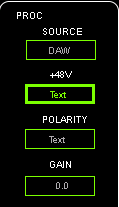
    Every time i  press CoreKeyCodeTab, and jump to the next .

Question :  if i want to use hardware to instead of the CoreKeyCodeTab,for example:  i press the userbutton,and the focus will jump to the next!What should i do?I have no way to solve the problem.Thank you very much

Best regards,

Tonny

1 Answer

0 votes
by

Hello Tonny,

please have a look into the main loop of your target project. There you will find the processing of the key events. You can adapt the function EwGetKeyCommand() (within the file ewmain.c) according to your needs: You can evaluate the state of the hardbutton and return the value CoreKeyCodeTab in case the hardbutton is currently pressed.

This means, there is no need to return the key codes from a physical keyboard - you can return any key code you want according to the state of your hardbuttons.

Best regards,

Manfred.

by

Hello Manfred,

        According to your advice,I found out I could run in when I was debugging ,but the ui still not changed,Did I miss some interface ?

int DeviceDriver_ProcessData( void )
{
  if ( IsHardButtonDown ){

      return CoreKeyCodeKeyA;  //???  or EwBspGetCharacter() == 0x41;??
  }
 
  if ( IsHardButtonPressed )
  {
    return CoreKeyCodeKeyA;   //????
  }
}

Best regards

Tonny

by

Hello Tonny,

in my answer I recommended to adapt the function EwGetKeyCommand() according your needs. However, it seems that you have put some key codes within the function DeviceDriver_ProcessData().

If you want to provide key codes to the GUI application, you have to adapt the function EwGetKeyCommand() in order to evaluate your hardbuttons (or just some variables that reflect the state of the hardbuttons) and translate them into key codes.

Best regards,

Manfred.

Ask Embedded Wizard - Archive

Welcome to the Ask Embedded Wizard archive. This community forum served us well for many years, but we've evolved our support approach!

Your resources:

The Embedded Wizard Online Documentation provides comprehensive documentation, tutorials, examples and ready-to-use software packages.

For dedicated assistance, explore our Embedded Wizard Product Support.

You can still browse the valuable discussions from our community history here.

Embedded Wizard Website | Privacy Policy | Imprint

...