649 views
in Getting started by

Hi Embedded Wizard Team,

I've downloaded your package for NXP LPC54628. Unfortunately the master demo doesn't flash. When I use the batch "FlashMaster Demo.bat" the script hangs as seen in the picture below. The same happens when I try to use the GCC makefile project and any other example. With MCUXpresso every example works perfectly.

How can I use the master demo and the GCC makefile project?

Fridolin

1 Answer

0 votes
by
 
Best answer

Hi Fridolin,


as it seems you've found a bug. This is a known issue and seems to be related to the Windows com port driver. Even after a long research it seems the script (respectively the flash command in it) doesn't cause the problem.

Anyway, we can recommend a work around. For that could you please start MCUXpresso respectively the GUI flash tool BEFORE you try to flash the Master demo or use the GCC makefile project.
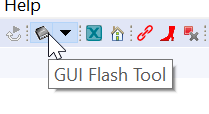
Then MCUXpresso probably shows the connected board correctly in the probe discovery window as you can see here:
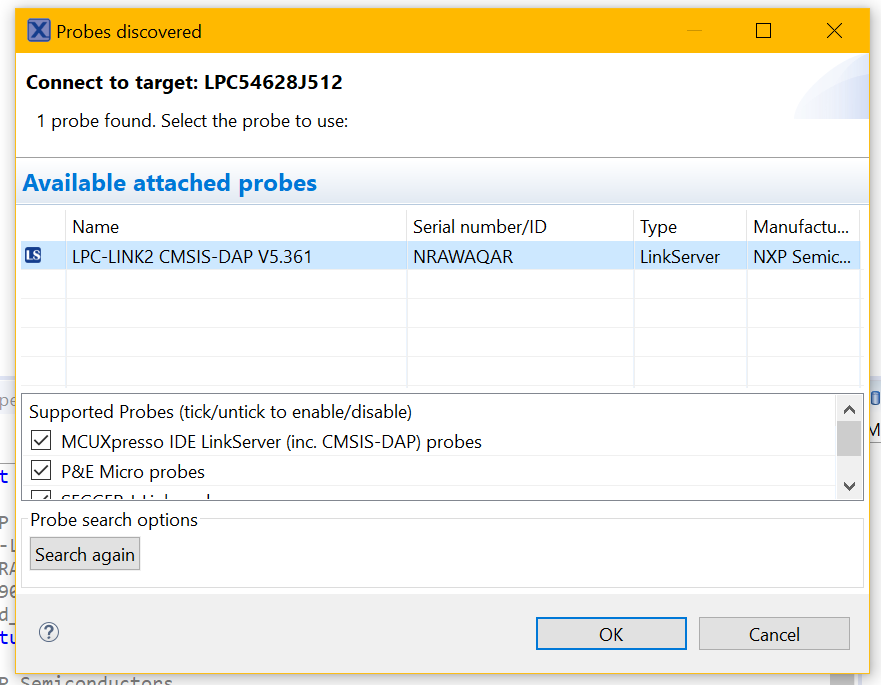
After this is done, you do not need MCUXpresso anymore and you can exit it.

Now the master demo and GCC makefile project should flash and work as expected.


Does this works for you too?


Best regards,

Tim

 

by
Hello Tim,

thank you, it works!

Now the master demo and make file can download the binary correctly.

Fridolin

Ask Embedded Wizard - Archive

Welcome to the Ask Embedded Wizard archive. This community forum served us well for many years, but we've evolved our support approach!

Your resources:

The Embedded Wizard Online Documentation provides comprehensive documentation, tutorials, examples and ready-to-use software packages.

For dedicated assistance, explore our Embedded Wizard Product Support.

You can still browse the valuable discussions from our community history here.

Embedded Wizard Website | Privacy Policy | Imprint

...