621 views
in GUI Development by

Hi,

I am working on multilingual support provided by embedded wizard. I have referred the example of strings and tested the languages given. I want to integrate Indic language support for my project specifically Hindi language (Devanagari) but the text is not getting visible as required.. Please refer the following snap 
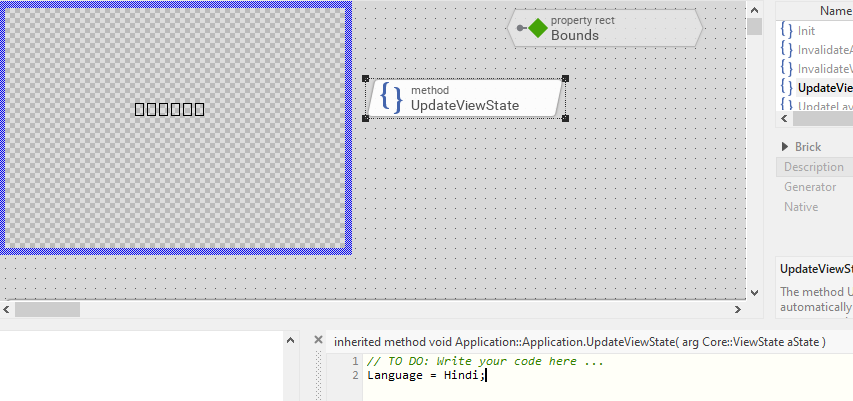
 

Font Used in the above example is Segoe UI with Height 25.

Font Range used is from FontRange.txt file generated through strings.xls-Default Start -32 Default End-127 values

I assume the issue is probably related to glyphs, Font.

Can anyone guide me how can I use Indic languages (Hindi) in my project

Thanks 

 Kunal

1 Answer

0 votes
by
Hello Kunal,

the language Hindi (Devanagari) requires complex text layout algorithms. This functionality is not available in Embedded Wizard.

Best regards

Paul Banach

Ask Embedded Wizard - Archive

Welcome to the Ask Embedded Wizard archive. This community forum served us well for many years, but we've evolved our support approach!

Your resources:

The Embedded Wizard Online Documentation provides comprehensive documentation, tutorials, examples and ready-to-use software packages.

For dedicated assistance, explore our Embedded Wizard Product Support.

You can still browse the valuable discussions from our community history here.

Embedded Wizard Website | Privacy Policy | Imprint

...