786 views
in GUI Development by

Hello.

I'm trying to implement a touch handler that when pressed a new dialog is opened and the current one is closed using the SwitchToDialog method.

This is my current setup:
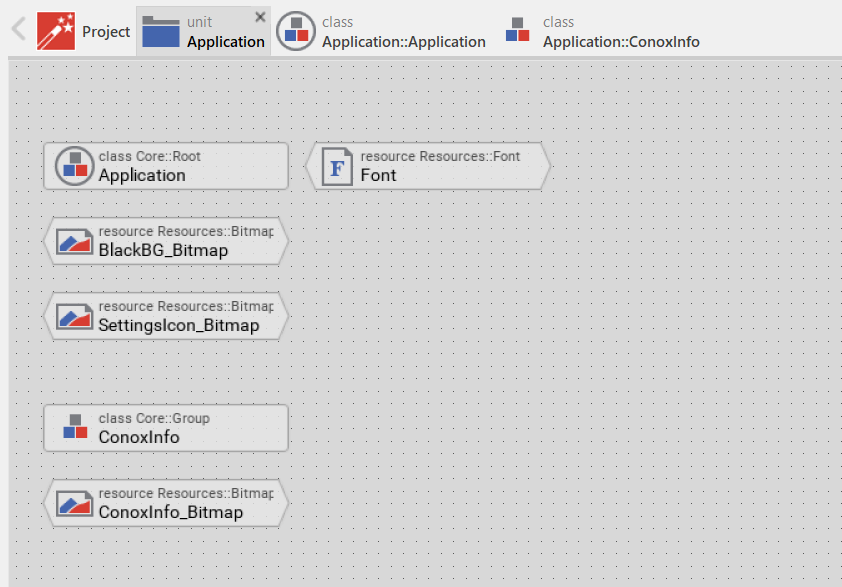
This is the 'main' dialog, that is, the one that should appear first. The gear icon and the touch event handler that is on top of it are what I want to press in order to get to the new dialog.
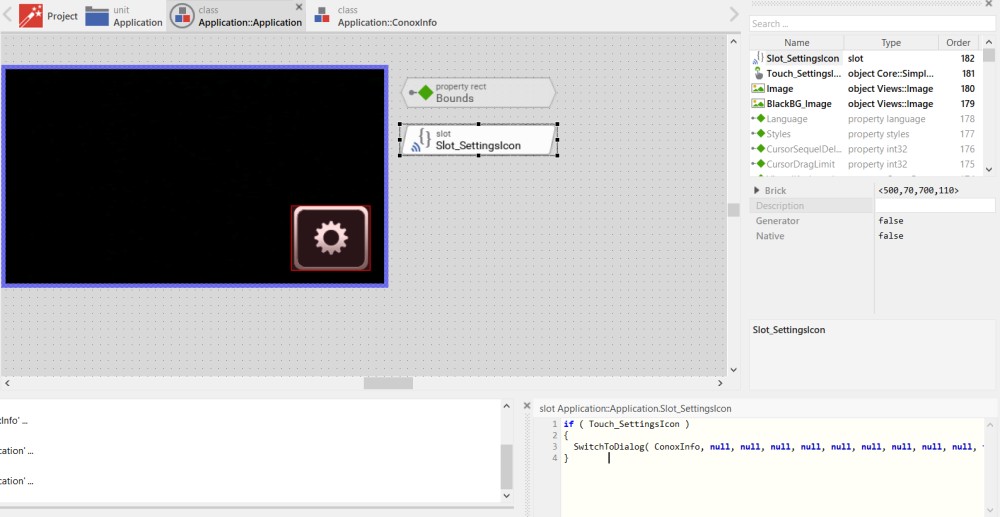
The slot brick is programmed with the following code:

if ( Touch_SettingsIcon )
{
  SwitchToDialog( ConoxInfo, null, null, null, null, null, null, null, null, null, false );
}


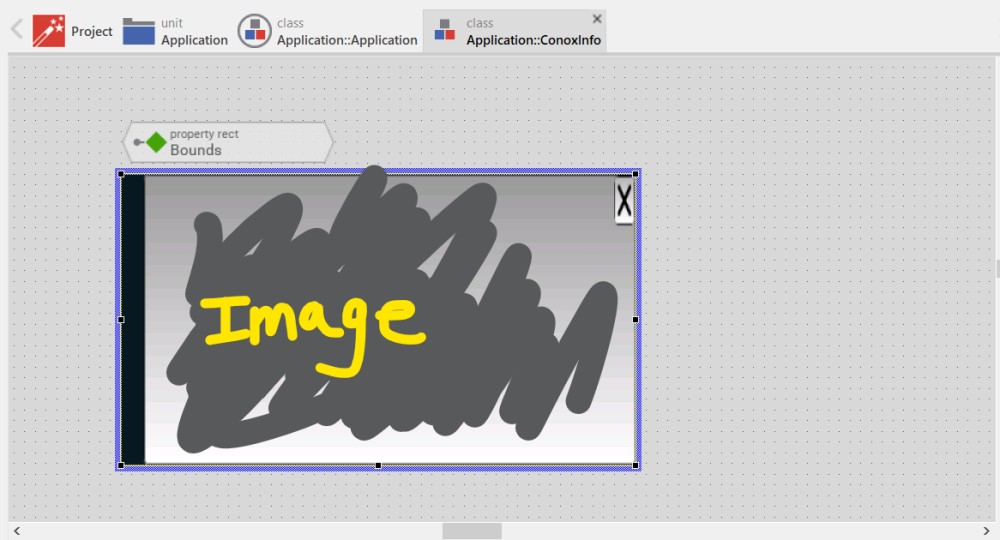
This is the dialog that I want to change to:
 

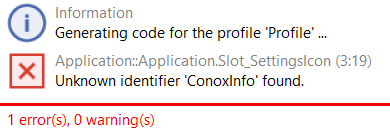
However, I get this error:
 

What am I doing wrong? I feel like I am very close.

Thank you.

1 Answer

+1 vote
by
 
Best answer

Hello,

as the error message explains, the identifier ConoxInfo is not existing. If you want to switch to an instance of the class Application::ConoxInfo, you need to create the instance first:

SwitchToDialog( new Application::ConoxInfo, ... );

There is another problem in your actual project. The gear icon is found in the Application component and according to your description you want to switch from the Application component to the ConoxInfo component. Application component, however, acts as the root object of the entire application. You can't hide nor dismiss it. Therefore, you will need a further component, e.g. Main. Then you can switch between Main and ConoxInfo as demonstrated above.

If you don't plan to use any animations while switching the dialogs, you can also simplify the implementation by using the convenience property ActiveDialogClass available in the Application component (see also Simplified approach to handle top-level dialogs (switching screens)). All you need to do then, is to initialize the property with the class name of the component you want to present as dialog, e.g.:

// Just switch to conox info dialog
rootthis.ActiveDialogClass = Application::ConoxInfo;

...

// Later switch to Main dialog
rootthis.ActiveDialogClass = Application::Main;

I hope it helps you further.

Best regards

Paul Banach

by

Hello Paul, thanks for your answer.

Following your first suggestion:

There is another problem in your actual project. The gear icon is found in the Application component and according to your description you want to switch from the Application component to the ConoxInfo component. Application component, however, acts as the root object of the entire application. You can't hide nor dismiss it. Therefore, you will need a further component, e.g. Main. Then you can switch between Main and ConoxInfo as demonstrated above.

How can I implement the switch from the root component to, say, the suggested Main dialog where the gear icon is located?

I want to do that automatically as soon as the development board gets booted up.


Thank you kindly for your help.

by

Hello,

when editing the Application component, initialize its property ActiveDialogClass with the name of the GUI component Application::Main. For this purpose, first ensure you are editing the Application component. The select in Inspector the member this representing the actually edited class. Then the property ActiveDialogClass appears in Inspector and you assign a value to it:

Just in the moment when the value is assigned, the component appears as Dialog:

Best regards

Paul

by
Great thanks! It is now working exactly as intended. I appreciate your help.

Ask Embedded Wizard - Archive

Welcome to the Ask Embedded Wizard archive. This community forum served us well for many years, but we've evolved our support approach!

Your resources:

The Embedded Wizard Online Documentation provides comprehensive documentation, tutorials, examples and ready-to-use software packages.

For dedicated assistance, explore our Embedded Wizard Product Support.

You can still browse the valuable discussions from our community history here.

Embedded Wizard Website | Privacy Policy | Imprint

...