939 views
in System Integration by

Hello EW Team,

I have a text field in EMWI where you can write.

Now I want to pass the field's string to my C code and use printf() to print it out. However, every attempt fails.

I send below pictures for understanding.

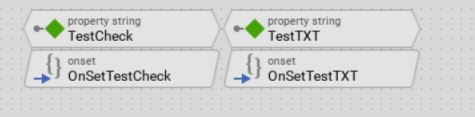
Device:

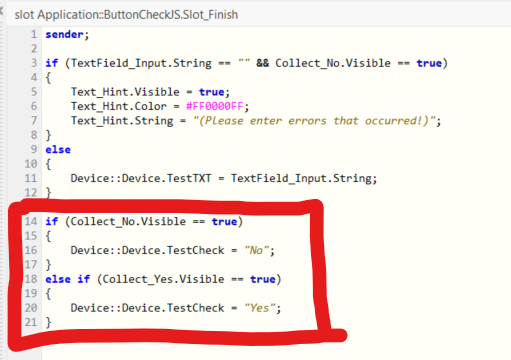
Slot method when press a Button:

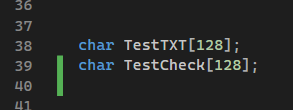
In c code:

Best regards

Justin

1 Answer

0 votes
by

Hi Justin,

unfortunately it is not completely clear for me what you have tried and what you want to achieve.

Actually you have a string property TestCheck in your GUI application and you have an array of char TestCheck in your C code. This appears confusing...

Please note, that the string data type within Embedded Wizard represents a 16bit string which cannot be used as a simple char* in C code. Let me refer to the answer Convert XString to char*.

I hope this answers your question.

Best regards,
Manfred.

by

Hello Manfred,

I had already read the article, but I can't really make sense of it.

My explanation step by step:

1. I have a text field where you can write something
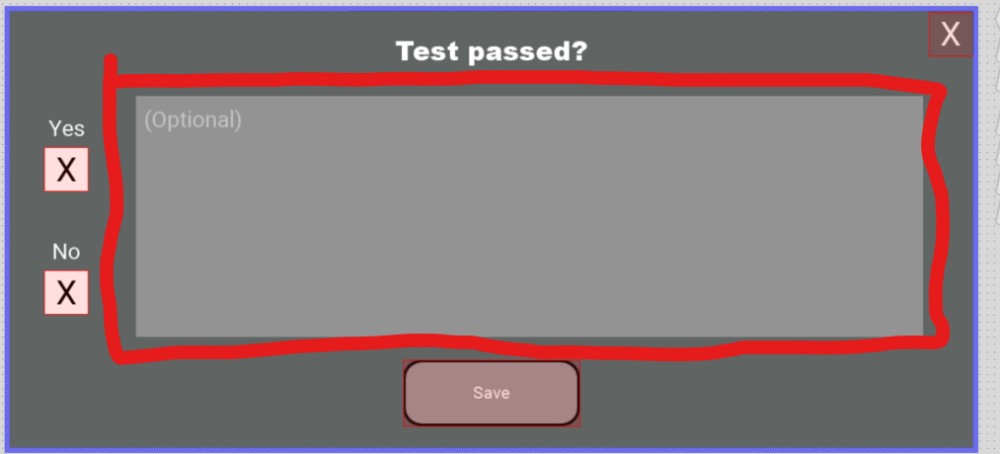
2. The string from the text is transferred to Device::Device.TestCheck when you press the "Save" Button

3. In my C code I have a variable char -> char TestCheck[];
4. Now the text of my text field should be written in Device::Device.TestCheck and then passed to my C code through the external variable
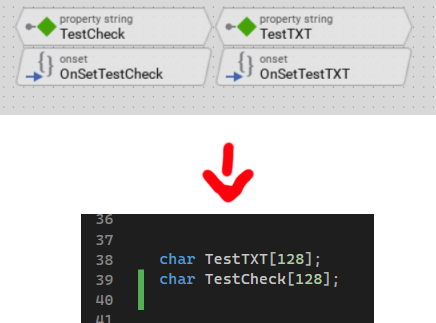
OnSetTestCheck:
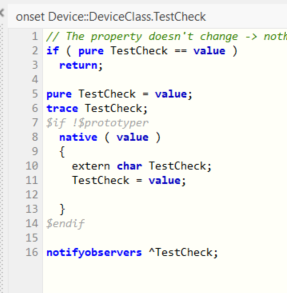
 

5. After the variable in c contains the text, the text should be output from the console
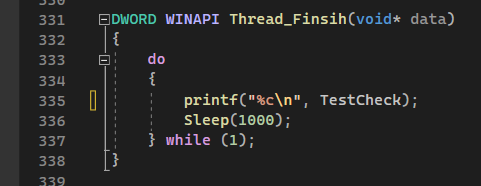
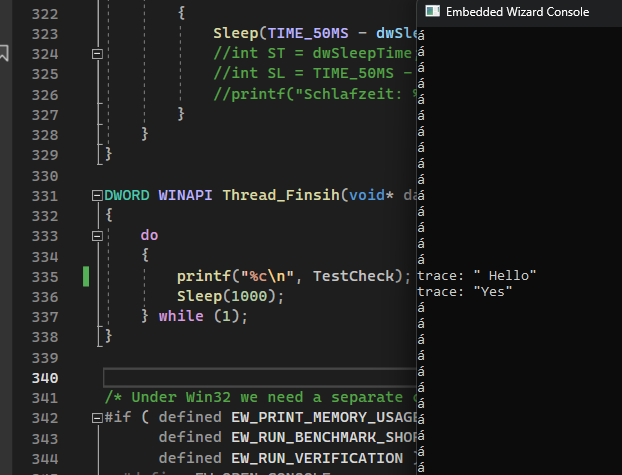
But no matter what I try, there are only strange signs or nothing

The output in my console when i press finish:
Best regards

Justin

by

Hi Justin,

it is still confusing that you have a string property TestCheck in your GUI application and a C string (array of char) in your C code with the same name....

Have you seen the example "DeviceIntegration" that you will find in the example folder of your Build Environment? Let me recommend to study that example:

Each time you press the button (with the caption "Print Hello World"), the method CommandPrint of the device class is called. This method has a string as parameter and calls the C function DeviceIntegrationExample_PrintMessage( aMessage ) which you will find in the file /Application/Source/DeviceDriver.c. Within this function, the given XString is used to print it via printf().

Maybe this example helps to simplify your desired application.

Best regards,
Manfred.

Ask Embedded Wizard - Archive

Welcome to the Ask Embedded Wizard archive. This community forum served us well for many years, but we've evolved our support approach!

Your resources:

The Embedded Wizard Online Documentation provides comprehensive documentation, tutorials, examples and ready-to-use software packages.

For dedicated assistance, explore our Embedded Wizard Product Support.

You can still browse the valuable discussions from our community history here.

Embedded Wizard Website | Privacy Policy | Imprint

...